Last updated: July 2026 ·
If you’re a UK freelancer or small business owner trying to decide between Notion and ClickUp, you’ve probably noticed that most online comparisons are either outdated or written by someone who’s only used one of the two tools. Both platforms changed their pricing structures in the past year, specifically around AI features, which makes a lot of the older “Notion vs ClickUp” content actively misleading right now.
This guide breaks down what each tool actually does well, current 2026 pricing in USD and approximate GBP equivalents, and the part most comparisons skip: which one fits which type of small UK business.
This comparison is based on publicly available information, feature analysis, and common user workflows. To get the most accurate results for your own needs, we recommend testing both tools with a real project before making a final decision.
Quick Verdict
| Notion | ClickUp | |
|---|---|---|
| Best at | Docs, wikis, knowledge bases | Task management, project tracking |
| Free plan | Generous for solo users | Generous, but only 60MB shared storage |
| Entry paid tier | Plus: $10/user/mo (~£7.50) | Unlimited: $7/user/mo (~£5.25) |
| AI included? | Only on Business tier ($20/user/mo) | Separate add-on on any paid tier (~$7–9/user/mo) |
| Best for | Content-heavy, documentation-first businesses | Task-heavy, deadline-driven businesses |
Both prices above are annual billing, per user, per month. Monthly billing costs more on both platforms.
What Notion Is Actually Good At
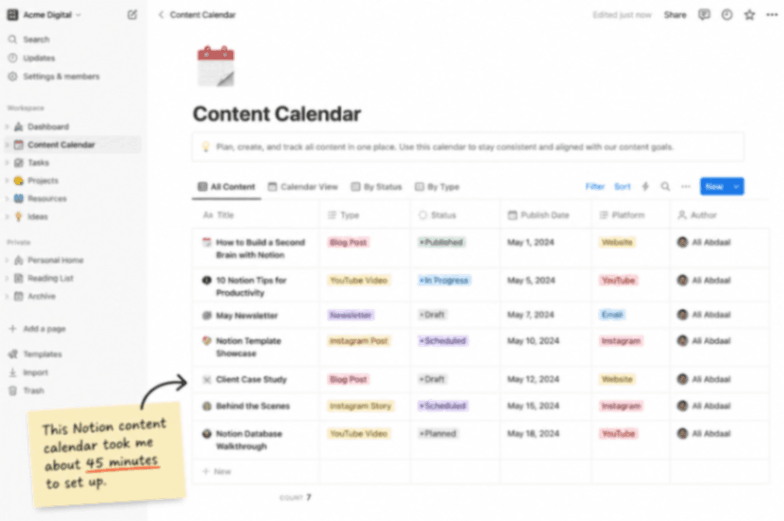
Notion started as a notes-and-wiki tool and has stayed strongest there. If your business runs on documents, client proposals, SOPs, a shared knowledge base, and a content calendar built from a database, Notion’s flexible page-and-database structure is hard to beat. You can build a genuinely custom system (a CRM, a client portal, an editorial calendar) without needing separate software for each.
Notion pricing (2026):
- Free — £0. Unlimited pages for solo use; teams hit a collaborative block limit once a second member joins.
- Plus — $10/user/month billed annually (~£7.50), or $12/month billed monthly (~£9). Removes the block limit, enables unlimited file uploads, provides 30-day version history, and allows unlimited guests.
- Business — $20/user/month, billed annually (~£15), or $24/user/month, billed monthly (~£18). Adds private teamspaces, SAML SSO, 90-day version history, and — importantly — full Notion AI.
- Enterprise — custom pricing.
The AI catch: Until early 2026, Notion sold AI as a separate $8–10/month add-on available on any plan. That add-on has been discontinued for new users — full AI features (the autonomous Notion Agent, Ask Notion) now require the Business plan. A solo freelancer who wants Notion’s AI assistant now has to pay for the full Business tier at $20/month, not a small add-on. If AI isn’t essential to your workflow, staying on Plus saves real money.
Where Notion falls short for small businesses: it has no native scheduling or time-blocking, and task management (due dates, assignees, workload views) is something you build yourself using databases rather than something built in. Teams that live and die by deadlines often find this frustrating.
What ClickUp Is Actually Good At
ClickUp is built the other way round: task and project management first, with docs, whiteboards, and goal tracking layered on top. If your business is deadline-driven client deliverables, sprints, and a content production pipeline with clear stages, ClickUp’s views (List, Board, Gantt, Calendar) give you far more built-in project management depth than Notion without custom setup.
ClickUp pricing (2026):
- Free Forever — £0. Unlimited tasks and members, but only 60MB of shared storage across the whole team — this fills up fast once you’re attaching files.
- Unlimited — $7/user/month billed annually (~£5.25), or $10/month billed monthly (~£7.50). Removes storage limits, adds 1,000 automation actions/month, and Gantt charts.
- Business — $12/user/month billed annually (~£9). Adds advanced dashboards, workload management, and 10,000 automation actions/month.
- Business Plus — roughly $15–19/user/month billed annually (~£11–14). Higher automation, API limits, and custom permissions.
- Enterprise — custom pricing.
The AI catch: Like Notion, ClickUp doesn’t include its AI assistant (ClickUp Brain) in the base price. It’s a separate add-on on top of any paid plan, priced by different sources at roughly $7–9/user/month (annual) for Brain AI, with a further “Everything AI” tier around $28/user/month for advanced agent features. For a 10-person team on the Business plan, adding Brain AI roughly doubles your per-seat AI cost on top of the base subscription, worth calculating properly before you assume AI is “included.”
Where ClickUp falls short for small businesses: the sheer number of features and settings means real configuration time before it feels smooth to use. Several reviewers note teams need weeks, not days, to get a ClickUp setup that actually works well. It’s also easy to accidentally convert a free guest into a billable seat, which has caught some small teams out with unexpected renewal costs.
Head-to-Head: Feature Comparison
| Feature | Notion | ClickUp |
|---|---|---|
| Docs & wikis | Excellent, this is its core strength | Good, but secondary to task features |
| Task management | Basic, built from databases | Excellent, purpose-built |
| Gantt charts/timelines | Not native | Included from the Unlimited tier |
| Time tracking | Not native | Included on paid tiers |
| Custom databases | Excellent, very flexible | Good, less flexible than Notion |
| AI assistant | Business tier only ($20/user/mo) | Separate add-on (~$7–9/user/mo extra) |
| Guest/client access | Free, generous limits | Free, but can silently convert to paid |
| Learning curve | Moderate | Steeper — more settings to configure |
Which One Should a UK Small Business Actually Choose?
- Solo freelancer or consultant, mostly documentation-based work (writers, coaches, consultants): Notion Free or Plus. You likely don’t need ClickUp’s project-management depth for a one-person operation.
- Small agency managing multiple client deliverables with deadlines (design, marketing, dev): ClickUp Unlimited or Business. The built-in Gantt charts and workload views save real time once you’re juggling several client timelines.
- Team that needs both a shared knowledge base and deadline tracking: Some UK small businesses genuinely run both — Notion for the wiki/SOPs, ClickUp for active client work. It’s more subscriptions, but each tool does its strongest job rather than forcing one tool to do both badly.
- Budget is the main constraint: ClickUp’s Unlimited tier at ~£5.25/user/month is the cheapest genuinely useful paid option of the two.
- You specifically want AI baked in without extra line items: Neither tool makes this cheap in 2026 — factor the AI add-on cost into your decision either way r, rather than assuming it’s included.
A Note for UK Freelancers Specifically
Both platforms bill in USD, so:
- Exchange rate matters — the GBP figures above are approximate; the exact amount on your card depends on the rate at the time of billing and your card provider’s foreign transaction fee.
- VAT — check at checkout whether UK VAT is added, or whether you need to self-account for it if you’re VAT-registered.
- Business expense — subscription costs for tools used in client work are normally an allowable expense for Self Assessment; keep your receipts.
This is general information, not tax advice — check with an accountant or HMRC’s guidance for your specific situation.
FAQs
Can I use Notion and ClickUp together?
Yes, and some small teams do — Notion as the shared knowledge base/wiki, ClickUp for day-to-day task tracking. It costs more than picking one, so it’s worth it mainly once you’re clearly outgrowing what a single tool does well.
Is the free plan enough for a solo UK freelancer on either tool?
Often, yes. Notion’s free plan has no real limit for a single user. ClickUp’s free plan works too, but watch the 60 MB shared storage cap if you attach many files.
Do I need the AI features on either tool?
Not necessarily. Both AI add-ons are optional extras layered on top of the core price in 2026 — useful if you’re summarising long docs or automating repetitive tasks, but not essential for most solo freelancers just getting started.
Which is easier to learn?
Notion has a gentler learning curve for documents and simple databases. ClickUp has more built-in project management power, but takes longer to configure properly — budget a few days, not a few hours, to set it up well.
Can I switch from one to the other later without losing my work?
Both tools support exporting your data (Notion exports pages as Markdown/CSV/PDF; ClickUp exports tasks as CSV or via its API), and both have import tools for the other platform. Migrating a simple setup takes an afternoon; a heavily customised database or task structure can take a few days to rebuild properly, since neither import is perfect.
Does either tool work well offline?
Notion’s desktop and mobile apps cache recently viewed pages for offline reading, with sync resuming once you’re back online. ClickUp has more limited offline support, mainly through its desktop app. Neither is designed as a true offline-first tool — if you regularly work without a connection, this is worth testing on the free plan before committing to a paid tier.
The Bottom Line
Neither tool is objectively better; they’re built around different starting assumptions about how a business organises its work. A UK small business choosing based on price alone will probably pick ClickUp’s Unlimited tier; one choosing based on which tool it will actually enjoy using every day should try both free plans for a real client project first, since that’s where the difference between docs-first and tasks-first design actually shows up in daily use.

Small Business & Productivity Writer
James Whitfield writes about the tools, software, and automation that help UK freelancers and small businesses work smarter. He tests apps hands-on and breaks down what actually works, without the jargon.